

 LIVE · SOLANA
MASTRtrade is live.
The Solana trading terminal built to put the evidence beside the trade. Discover a token, understand its controls, assess your exit and trade from your own wallet.
Best experienced on a desktop monitor. Also available in your mobile browser.
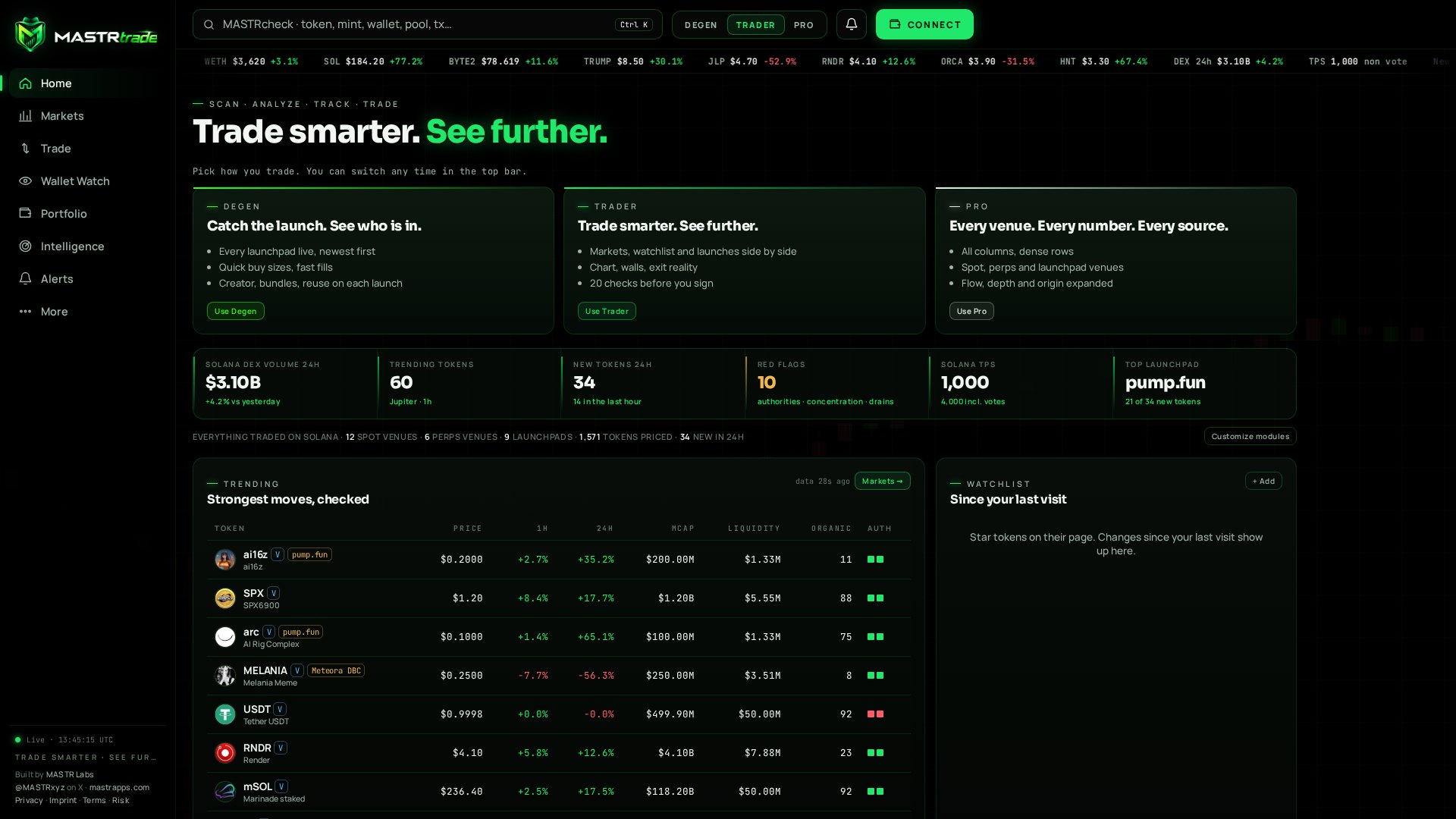
Discover. Check. Plan. Sign.
The terminal follows the sequence of a real decision, from finding a token to checking what arrived on chain.
- Discover launches and market activity. Use a mint address to identify the asset, then inspect the token’s origin, holders, authorities and available liquidity.
- Plan with the chart, executable depth and Exit Reality. Review the quote and the complete transaction before opening your wallet.
- Sign in your own wallet. After confirmation, inspect the on-chain result, open Solscan, create a PnL card or arm a monitored price level.
See the launch and the context
Live launches bring newly detected tokens and pools into the terminal alongside the signals that matter at the start.
- Creator share, bundled buying and reused identity information appear beside launches. Alerts can notify your phone when a launch matches your rules.
- Pulse separates New pairs, Final stretch with bonding-curve progress, and Graduated tokens. Each card provides a route into the trade panel.
- The feed covers supported launchpads and direct DEX pools that its providers can reach. A missing event is not proof that a launch did not happen.
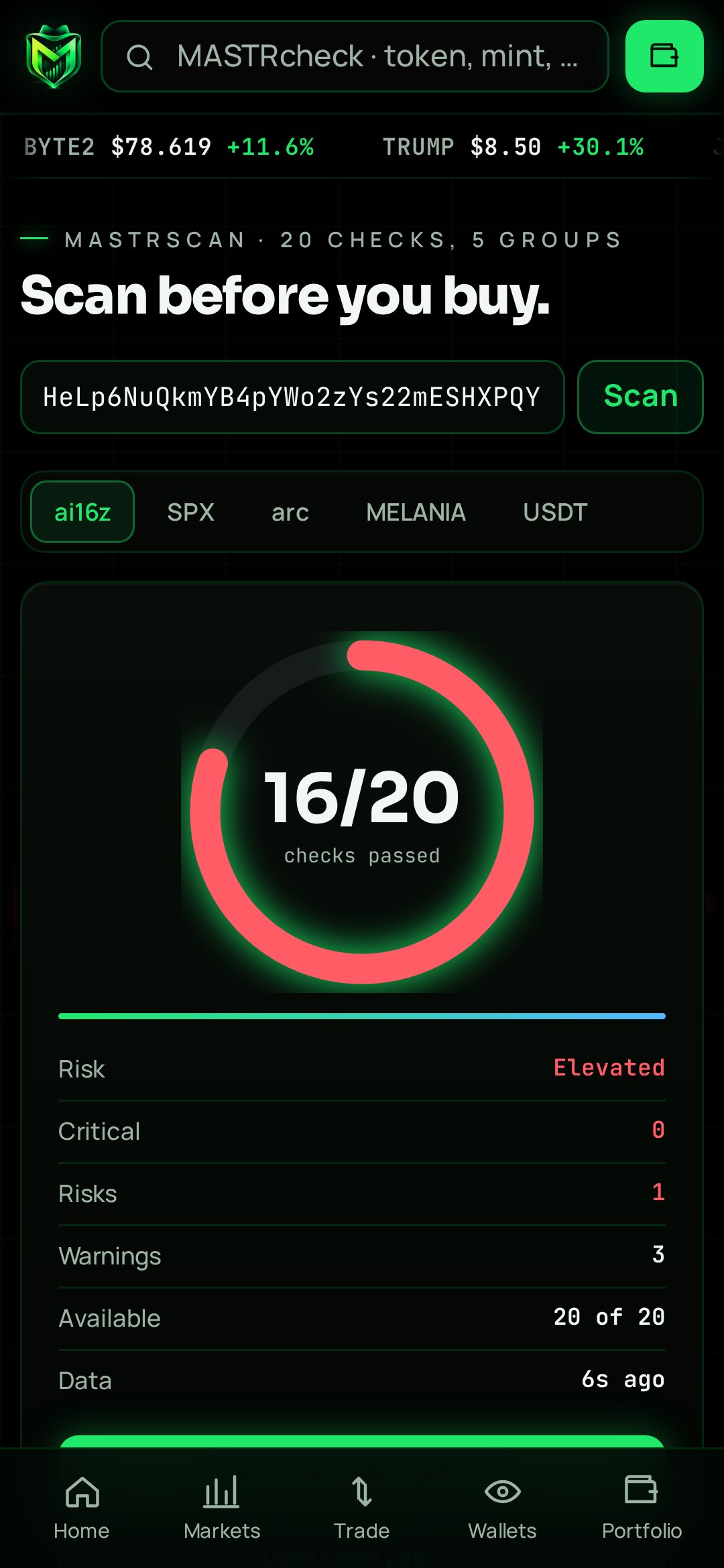
MASTRscan: 20 checks, five groups
Market, authorities, holders, origin and behaviour. Every result should be read with its source, age and available evidence; an unknown result is not a clean bill of health.
- The audit strip brings together top-ten concentration, developer holdings, snipers, insiders, bundlers, LP status, mint and freeze authority, DEX-paid status and distance from the all-time high.
- LP status distinguishes burned, held and unknown using available on-chain evidence. Token-2022 explanations cover transfer fees, permanent delegates, transfer hooks, pausing, non-transferability and default-frozen accounts.
- Launch forensics follows the creator, the first 12 buyers and their remaining holdings, bundled buys, shared funders, creator sales and other launches. Reused websites, X handles, Telegram identities or images are flagged for review.
- External security assessments sit beside MASTR’s own checks, with disagreements made visible. Paste a mint to examine the checks and their explanations. Neither a passed check nor a third-party score guarantees safety.
Build a view of the market that matters to you
Discovery is more useful when it can be narrowed, saved and compared.
- Trending, Most traded, Organic, New, Pulse, Live launches and Watchlist sit alongside Memes, AI, DeFi, Infra, Gaming, Majors, Verified, LST, Stocks, Wrapped and Stables.
- Use the filter builder, saved screens, sortable columns and workspace-specific column sets. Compare up to four tokens by relative performance over 1 hour, 24 hours and 7 days.
- Venue views distinguish spot markets, perpetual venues by volume or open interest, and launchpads by their share of new tokens. Ctrl K opens tokens, wallets, pools, programs and transactions.
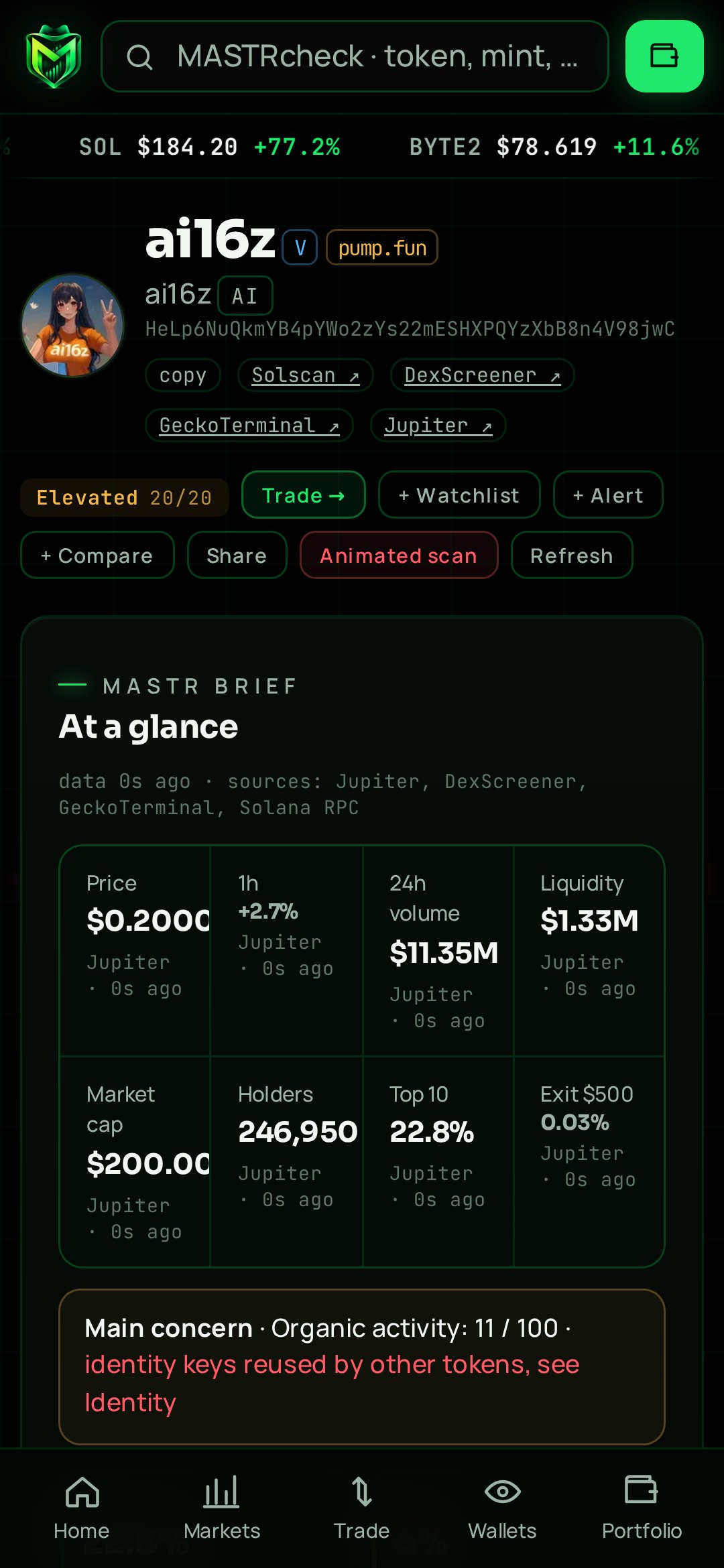
One token, with the important details together
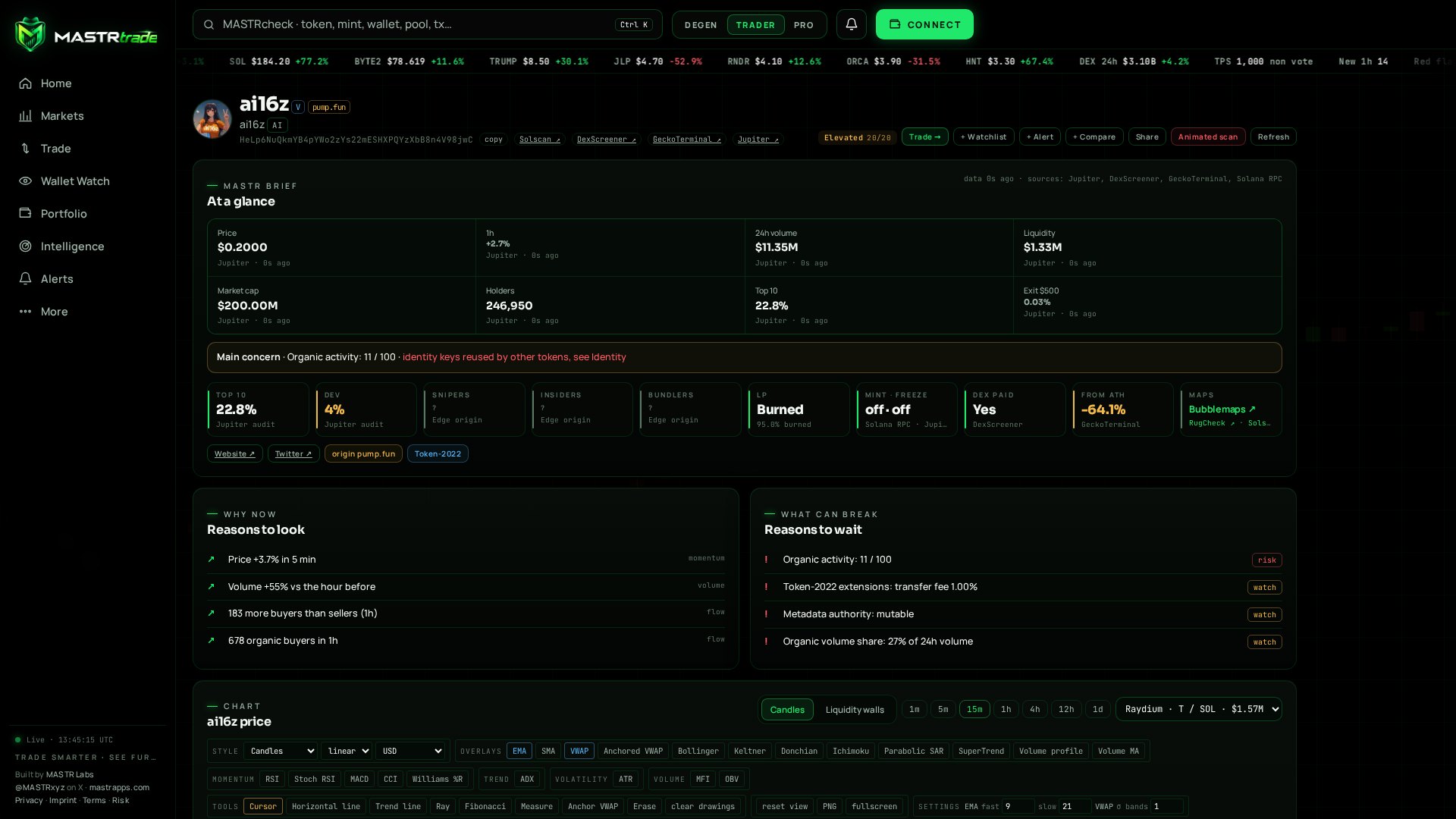
MASTR Brief introduces the immediate context: why now, what can break and the main concern in one line. The chart and trade panel remain close to the underlying checks.
- The Pro chart offers 21 indicators, drawing tools, candles, Heikin Ashi, line and area views, with USD, SOL or market-cap displays and a live candle.
- Live trades and order flow show buy pressure, flippers, large trades and active wallets. Recent large buyers are accompanied by evidence such as win rate, holding time, dump rate and realised PnL where available.
- Holder distribution, the market map across DEXs and a lifecycle timeline add context. Share a token card to X, Telegram or Discord without treating a wallet label as a recommendation.
Understand the exit before entering
A displayed valuation is not the amount you can withdraw. The available route and the size of your sale matter.
- Exit Reality estimates the output from selling 25%, 50%, 75% or 100% of a position. Use it to examine how execution changes with size.
- Liquidity walls show executable depth from Jupiter quotes across price bands. Quotes reflect their retrieval time and can change before execution.
- Compare chart price, route, price impact and minimum output together. A deep-looking chart or a high market cap does not guarantee that your position can exit at that price.
Fast access. A deliberate signature.
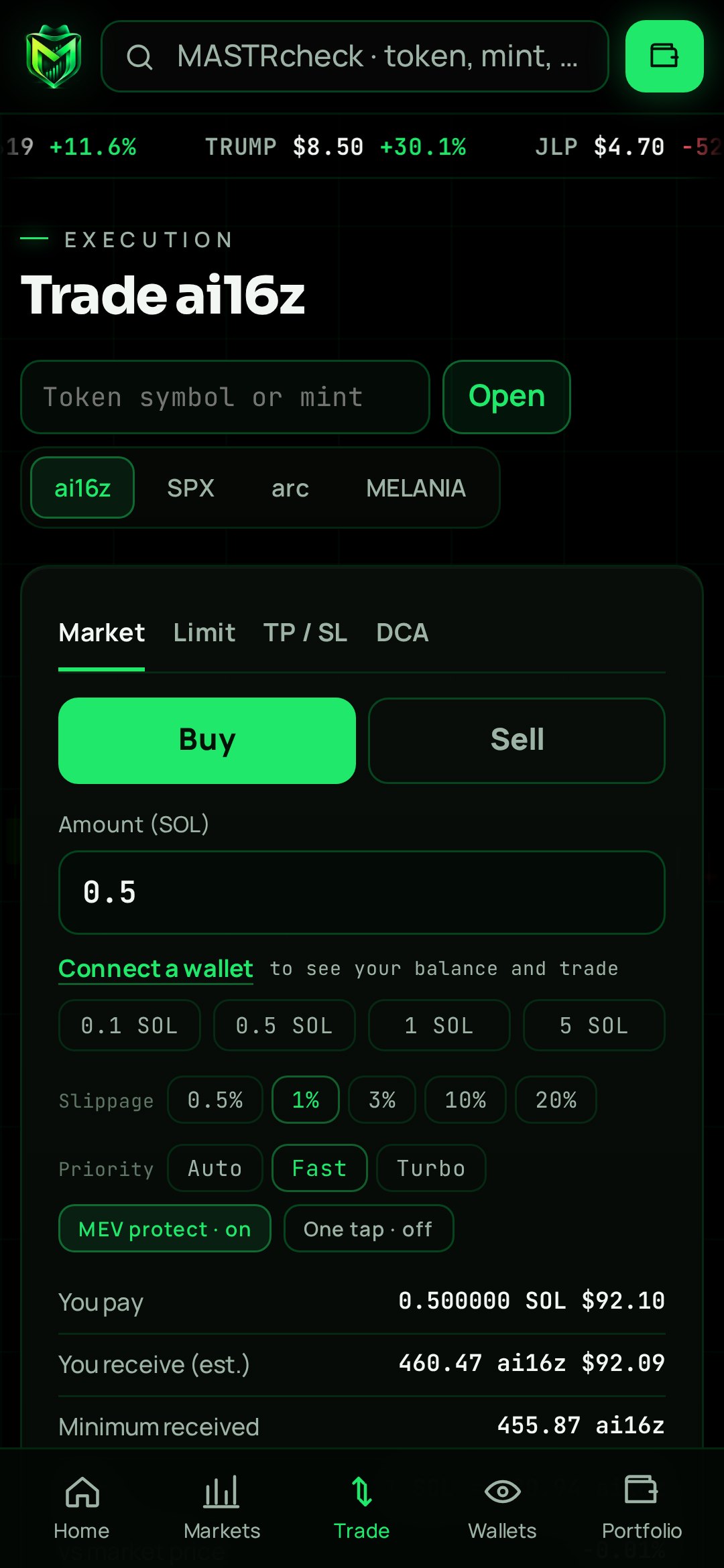
Buy and sell from the chart, market rows, the command palette or the mobile trade dock.
- Choose a quick size or your own amount; sell 25%, 50%, 100% or a custom share. The panel shows entry and PnL in percent and SOL, with an action for selling the initial investment where the position permits.
- Jupiter routes supported SPL and Token-2022 swaps. Market, limit and DCA orders have their own review flows. The transaction is built, simulated and hashed; changes outside the permitted wallet guard or priority-fee adjustment stop submission.
- Preflight warnings surface dangerous extensions, active authorities and other detected risks. Jito MEV protection is enabled by default, with Auto, Fast and Turbo priority choices; protection is not a guarantee against adverse execution.
- One-tap mode, Max, configurable sizes and shortcuts B, S, 1–5, Enter, M and L reduce navigation. A slippage adjustment remains a trading decision, not a promise of a better fill.
Monitored levels keep you informed
Take profit, stop loss and trailing levels help you follow a position after entry.
- After a buy, presets include +50/−25, +100/−30, +200/−50 and +100 only. These are trigger settings, not expected returns.
- Armed levels are monitored by the server even when the app is closed. A trigger sends a notification and opens the sell flow. You still sign; the server does not autonomously sell for you.
- These monitored levels are distinct from submitted limit or DCA orders. A notification cannot guarantee a fill or protect against a gap, delayed data or unavailable liquidity.
Your wallet, plus a clearer record
Connect through the Solana Wallet Standard with wallets such as Phantom, Solflare and Backpack.
- On Android, approve in the wallet app and return to mastrtrade.com. Switch between supported addresses from the connected wallet.
- Wallet Watch follows a public address with activity, funder information, PnL and win rate where available. Mirror opens the corresponding trading flow; it does not make another wallet’s result yours.
- The portfolio combines realised and unrealised PnL, average entry and quick actions: Trade, Sell 50%, Sell all and Arm. Limit and DCA order history remains available alongside the positions.
Follow your rules, not an open tab
Set alerts around a watchlist, a feed, an individual token or live launches.
- Create price alerts directly from the chart. Receive in-app notifications and web push on supported phones and desktop browsers, including when the app is closed.
- Quiet hours and preferences are set per device. Notification permissions, connectivity and operating-system delivery can affect when a message arrives.
- Use alerts to return to the evidence and the trade review. A notification is not an automatic wallet signature.
Look beneath the individual trade
The intelligence views connect token-level observations with the infrastructure around them.
- Inspect serial creators, concentration, liquidity outflows, suspected wash trading, active authorities and launchpad share. A suspicion remains a lead for examination.
- Network throughput, priority fees and the Jito tip floor add execution context. The status page exposes the health of connected data providers.
- Sources include Jupiter, DexScreener, GeckoTerminal, DefiLlama, Solana RPC infrastructure, Raydium, Jito, RugCheck, GoPlus and PumpPortal. Their observations have different scopes and update times.
Degen, Trader and Pro
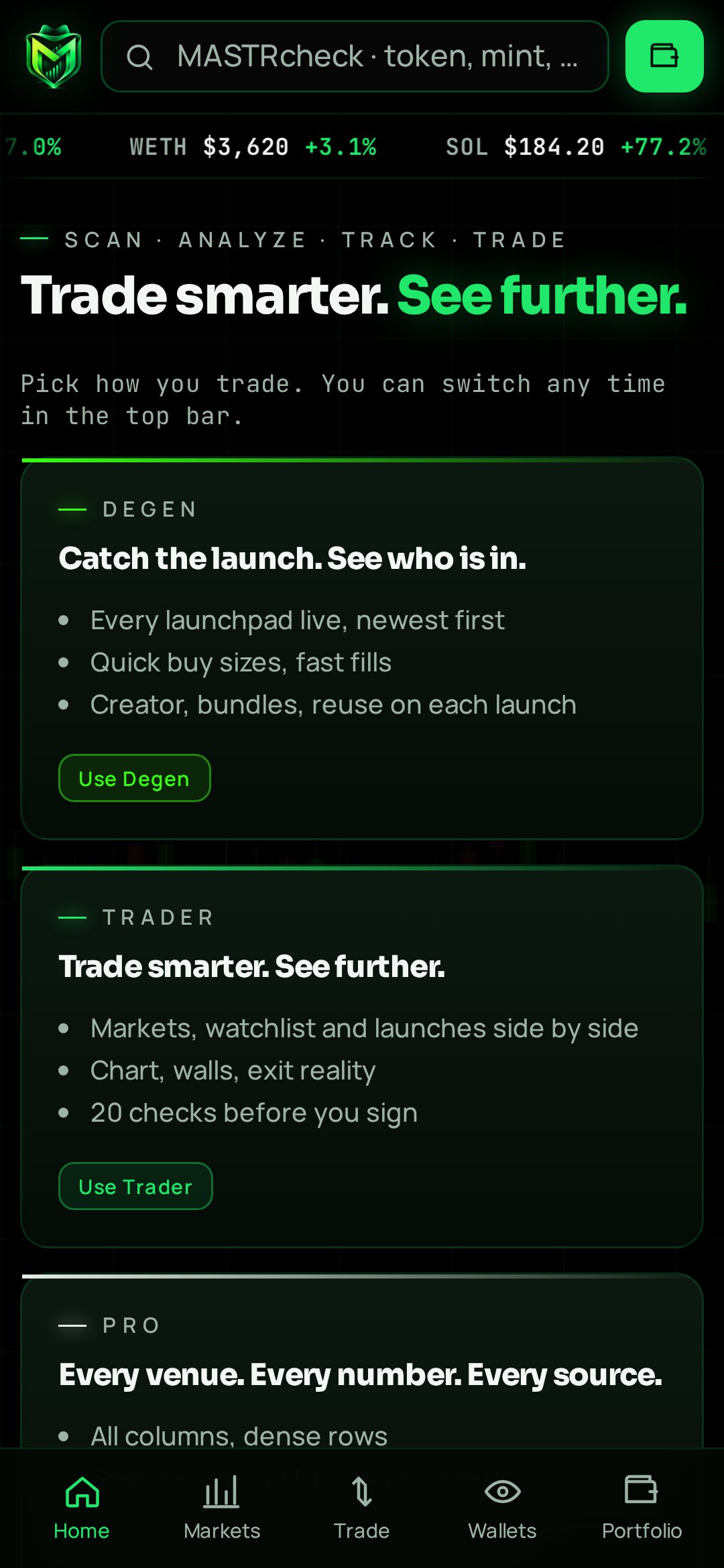
Three workspaces use the same underlying intelligence with different density and emphasis.
- Degen prioritises launches and quick access. Trader brings markets, charts and execution together. Pro expands dense tables, venue information, depth, flow and origin.
- Show, hide and reorder modules to create your own layout. The interface is designed for screens from 320-pixel phones to wide 2560-pixel monitors.
- An optional account uses a wallet signature rather than email and password, enabling sync across devices. Local lists stay on the device until sign-in. Account data can be deleted, and referral links include a personal count.
MASTR Sound, on your terms
Sound is part of the product’s identity and can be adjusted or switched off.
- The MASTR Anthem accompanies the introduction. Buys use the Legion motif, sells the Titan motif and alerts the MASTR motif.
- The sound is synthesised live, with intro, random, volume and off controls. Browser autoplay permissions may require an interaction before audio starts.
- PnL cards and wallet cards are available for sharing. Shareable results are snapshots, not evidence of a repeatable return.
Control stays with your wallet
MASTRtrade is a non-custodial interface. It does not request a seed phrase or private key and does not hold customer funds.
- Transfers require the relevant wallet authorisation. Keep recovery material outside websites and review the destination, amount, route and permissions before signing.
- The service describes HTTPS-only access, a strict Content Security Policy, no third-party trackers and a token-image proxy. The proxy prevents token-image hosts from receiving the visitor’s direct image request; it does not make the whole session anonymous.
- The operator is in Switzerland. Terms, privacy and risk information are linked publicly; use is for adults aged 18 and over. Crypto can lose all of its value. MASTRtrade provides evidence and tools, with no investment, return or security guarantee.
One terminal, on your screen
Install the web app from a compatible browser on Windows, macOS, Linux, Android or iPhone. On iPhone this is a web app added to the Home Screen, not a native App Store download. Android also supports sharing a mint into MASTRtrade to open its security scan. The Android app is intended for Solana Seeker; a planned dApp Store listing is not an existing approval.
Android release information
Android & Solana Seeker
0.8.0 · Android 9+
APK download not yet available hereThe Android release is listed below. Its download file has not yet been added to this page. You can use the web app now.
Android release details
- Version
0.8.0 · Code 1- Package
com.mastrlabs.mastrtrade- Compatibility
Android 9+ · Solana Seeker- File
MASTRtrade-v0.8.0-1-dappstore.apk- SHA-256 reference
b5e70d9120b42ae4cf7e52175b24f9f24cf773c73af52efe1b0676cc898c1e10- Signing certificate SHA-256
f6a875393176a443fa0720b664e2beabcdcdacb08aca87808f8d6627b0205d79
Release details supplied by the publisher. The reported v2 signature check is not a security audit. An APK filename does not establish approval by an app store.
Other MASTR apps and their downloads remain on MASTRapps.com. MASTRapps.com ↗
Built by one person. Built around a real need.
MASTRtrade began with a practical question: why should a trader have to jump between a launch feed, a chart, a wallet tracker and a security scanner to understand one decision? Built by MASTR under MASTR Labs, home of $MASTR since the end of 2024, it brings those views into one terminal. The ambition is simple: make the important evidence easier to see before money moves.
Product information: MASTRtrade’s public introduction and the publisher’s launch brief. Screenshots supplied by mastrtrade.com. Feature availability and data coverage depend on the connected providers.
mastrtrade.com/about ↗